Does Google look at filenames for images on your site?

Are filenames on images important?

Yes, Google does look at filenames for images when trying to understand the subject matter of an image. While it’s considered a “light clue” compared to other factors like alt text and surrounding page content, it’s still a recommended best practice for image SEO.

Google logo

Here’s a breakdown of what Google recommends and why:

Descriptive Filenames:

Google suggests using filenames that are short but descriptive of the image’s content. For example, santa-monica-new-homes.jpg is much better than IMG00023.JPG.

Keywords (used naturally):

If it makes sense and naturally describes the image, you can include relevant keywords in the filename. However, avoid “keyword stuffing” (overloading the filename with keywords), as Google is smart enough to detect this and it can be seen as spammy.

Hyphens for word separation:

Use hyphens (-) to separate words in your filenames (strawberry-ice-cream.jpg). Avoid spaces, underscores (_), or other special characters, as search engines can misinterpret these.

Consistency: It’s good practice to have the file extension match the file type (e.g., .jpg for a JPEG image)

User Experience:

Descriptive filenames are not just for search engines, they also improve the user experience. If someone downloads your image, a clear filename helps them understand what it is without opening it.

Important Considerations:

In essence, optimizing image filenames is a small but worthwhile part of a comprehensive SEO strategy. It contributes to search engines’ better understanding of your images and a better user experience.


Alt Text is More Important:

While filenames are useful, Google emphasizes that alt text (alternative text) and the surrounding text on the page are much stronger signals for understanding image content. Always prioritize writing descriptive and accurate alt text.

Minor Ranking Factor:

Image filenames are a relatively minor ranking factor compared to overall content quality, page relevance, and other SEO elements. Don’t expect huge ranking gains solely from optimizing filenames.

Changing Existing Filenames:

If you have thousands of images already indexed, going back and renaming all of them might not yield significant benefits immediately. Google doesn’t crawl images as often as other content, so it can take a long time for renamed images to be re-indexed. Focus on new images and prioritize alt text and surrounding content for existing ones.


How to Optimize Images for Better SEO and Speed

Why Image Optimization Matters for Your Website


  1. Faster Load Times
    Large, uncompressed images slow down your site, increasing bounce rates. Fast-loading pages improve user experience and boost Google search rankings.
  2. Better SEO
    Descriptive filenames and alt text help search engines understand your images, improving your site’s chances to rank in image searches and strengthening overall SEO.
  3. Improved User Experience
    High-quality, optimized images make your site look more professional and engaging, keeping visitors on your site longer and increasing conversions.

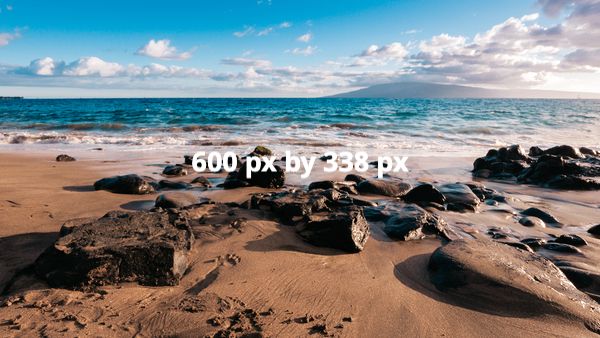
Original Stock Image, File Size = 9 MB

Original image
Resized Image = 360 KB
Resized image
Resized and Optimized Image = 127 KB
Fully optimized image

How to make sure your site’s images are loading as fast as they can be:


  1. Resize the image.
    Adjust the image size and dimensions to exactly what you need them to be on the site, don’t resize them after you upload them!
  2. Change the Filename to something descriptive.
    This is more of a personal preference, but it helps keep things better organized. Google also looks at filenames, especially for images (more on this later), and it can help with SEO.
  3. Use Tinypng.com – its FREE!
    Go to Tinypng.com, upload the image, and let it optimize it for you. TinyPng does a very good job of reducing the file size while maintaining image clarity.
  4. Upload the image to your site.
    That’s it! You now have an image that is faster loading, optimized, and ready to use!
tinypng logo
TinyPNG Panda Logo

How to optimize images you have already uploaded and added to your Real Geeks site:

Embedding a Mobile Responsive YouTube Video


Links

What we do and how we can help you succeed with the Real Geeks IDX platform!

Real Geeks Premium Homepage Design

Everything from Standard Site Build Packages to Custom Site Packages, we do it all from start to finish!

  • New Sites – New to Real Geeks and need your site built? We will build your site from start to finish using all of the Real Geeks recommended best practices! More Information
  • Premium Homepage Designs – Already have a site but don’t like how it looks? Choose one of our Premium Homepage Designs. These add a more professional, luxury look to your site! More Information
  • Custom Homepages – We will pair you with a Senior Designer, ready to create a customized Homepage, five custom interior pages, a custom Footer, new fonts for the whole site, a video main banner, and three rounds of revisions.
  • SiteBoostRE SEO Area Page Packages – Adding additional, targeted, hyper-local Area Pages to your site keeps the site updated and helps draw organic traffic to the site. We can build 5, 10, or even 20 Area Pages with up to 32 SEO Subpages for EVERY one of them! More Information
0